Photograph a recipe card or say it out loud. ChefAdmin writes it up with ingredients, sub-recipes, method, allergens and nutrition, in a cookbook you own. When the kitchen is ready to trade, the same recipes run costing, stock and purchasing on the desktop.
Free to start. $9 a month to build. $60 a month to run the kitchen. The price is below; no demo needed.
Industry benchmarks pin typical net margin at 3-5% full-service and 6-10% quick-service. 4-10% of food cost is lost to waste and variance. None of it is your fault; it's structural.
Recipe drift starts on Tuesday. The pastry section runs three grams over on butter; the line cook eyeballs the marinade. By Friday, your group's food cost has moved a quarter of a point. By month-end, a point. By year-end, a senior hire you didn't have to lose.
Suppliers raise prices in small steps no single procurement email catches. Theoretical food cost, the number the menu was costed at, drifts further from actual food cost, the number the P&L shows. The gap doesn't surface until year-end.
And the second cost: the data that should expose all this is trapped: split across the POS, the ERP, the supplier portal and three spreadsheets, or worse, locked inside a single vendor's "all-in-one" platform you can't export from. So nobody can answer the simple question: what does this kitchen actually cost to run?
Industry context
3-5% typical net margin, full-service. 6-10% quick-service. Source: sector benchmarks.
4-10% of food cost lost to waste and variance, across the industry. Source: operator surveys.
£3.2 billion lost in UK hospitality alone to avoidable food waste, about £10,000 per outlet, every year. Source: WRAP, UK hospitality data.
For a brand doing about $80,000/month, that's roughly $4,000/month leaking out invisibly, about $48,000/year, per brand.
ChefAdmin is the connective kitchen-operations platform for multi-brand restaurant groups. It connects the POS, ERP and supplier systems you already run, unifies the data, and shows where profit is leaking, while your data stays yours.
Three steps. No rip-and-replace. ChefAdmin sits on top of the systems you already run and turns the data they hold in isolation into a single live picture.
Foodics, Zoho, Odoo, your supplier portal, your accounting stack: ChefAdmin connects to them. Our AI engine ingests your existing data and stands up the core costing module in days. No rip-and-replace, no twelve-week project.
Your culinary IP lives in one place: encrypted, version-controlled, with role-based access and audit trails. Cost every ingredient as it changes. Tag allergens once; they flow through every dish, every menu, every branch.
The intelligence layer watches theoretical vs. actual cost across every brand and dish. When it drifts, you don't get a chart; you get the cause and the suggested action. POs drafted, alerts triaged, P&L protected.
Each of these is the screen an operator told us they used to glue together from spreadsheets. In ChefAdmin, they all share one dataset: the dish, the cost, the inventory, the brand.

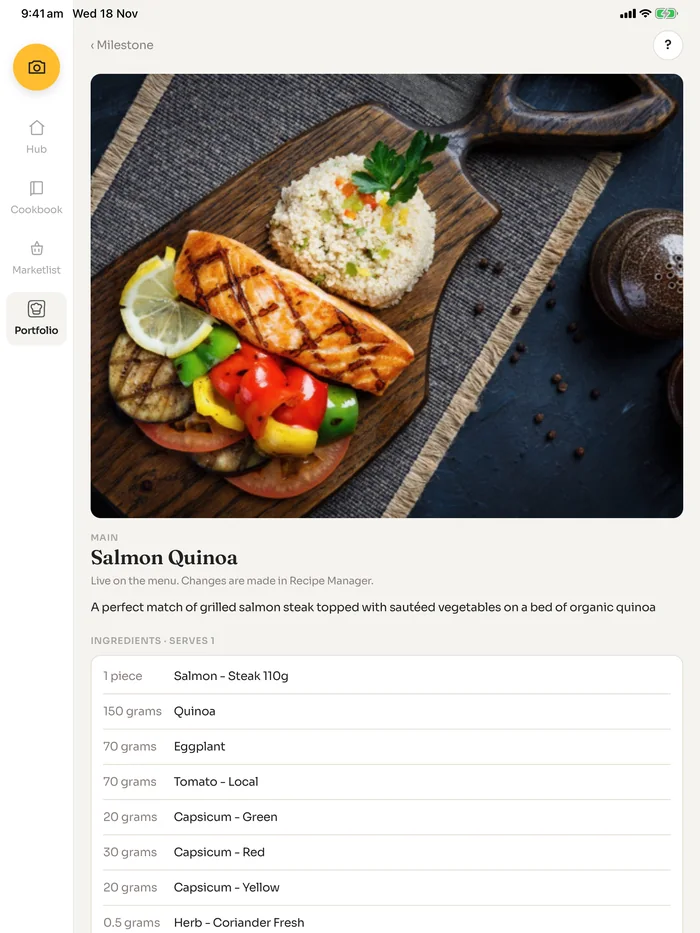
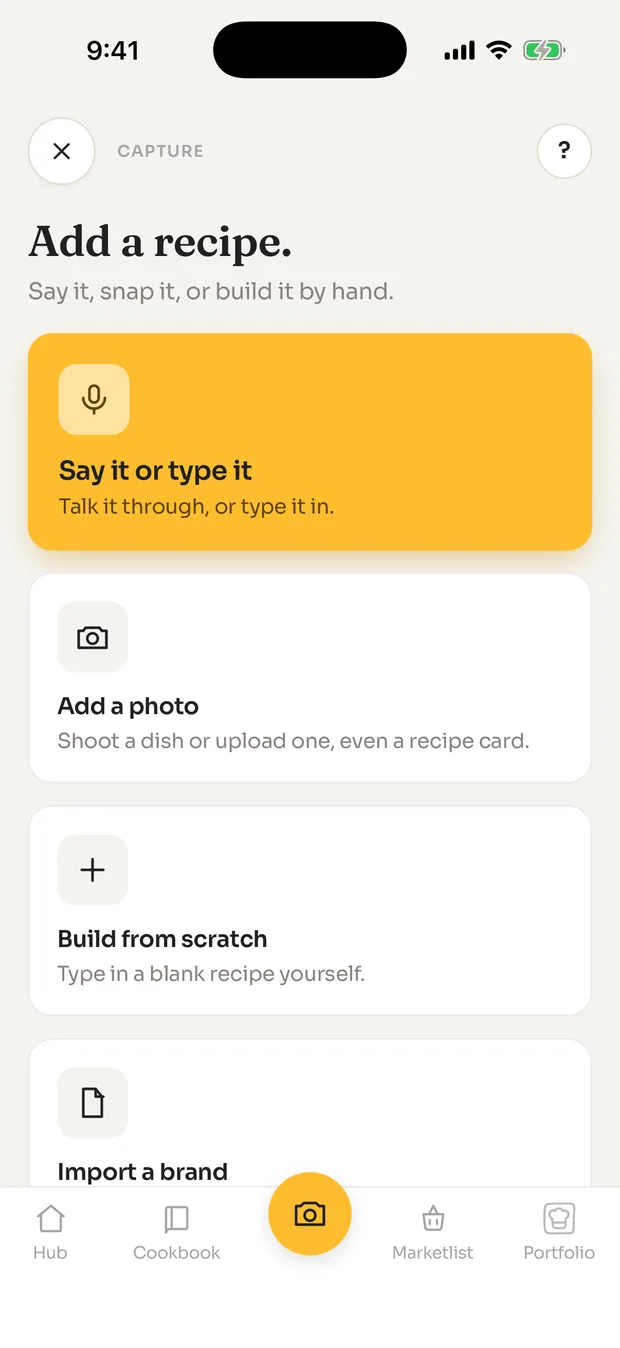

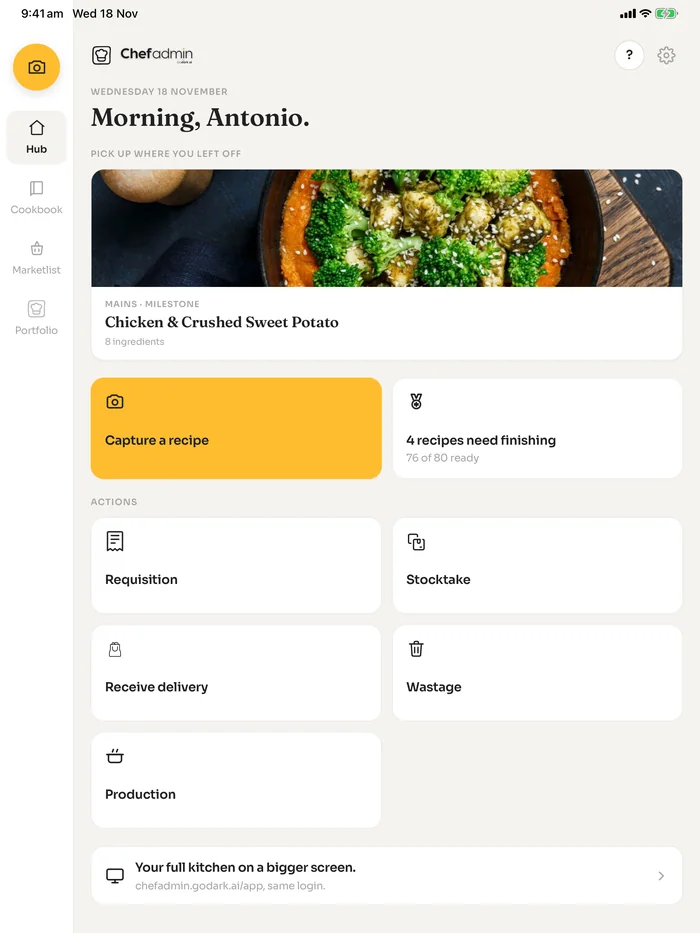
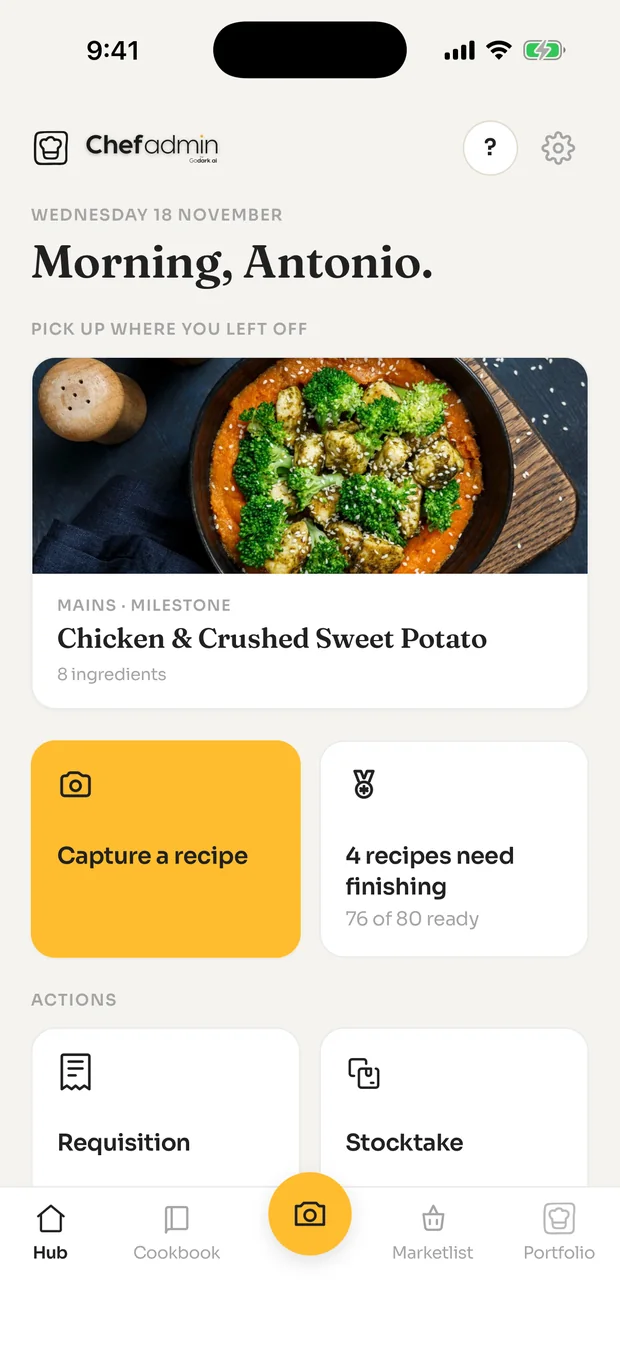

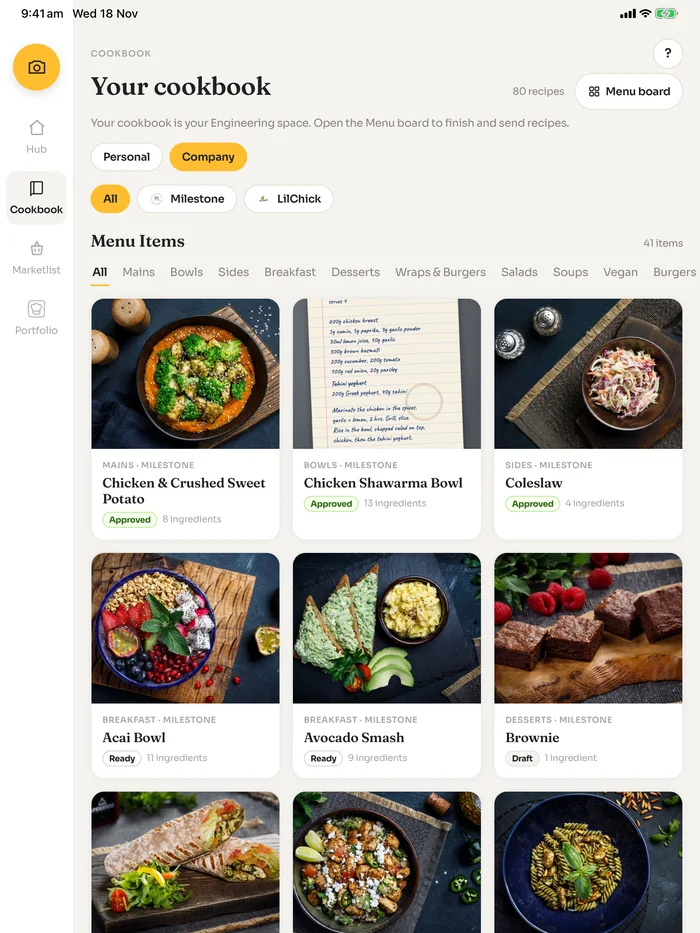
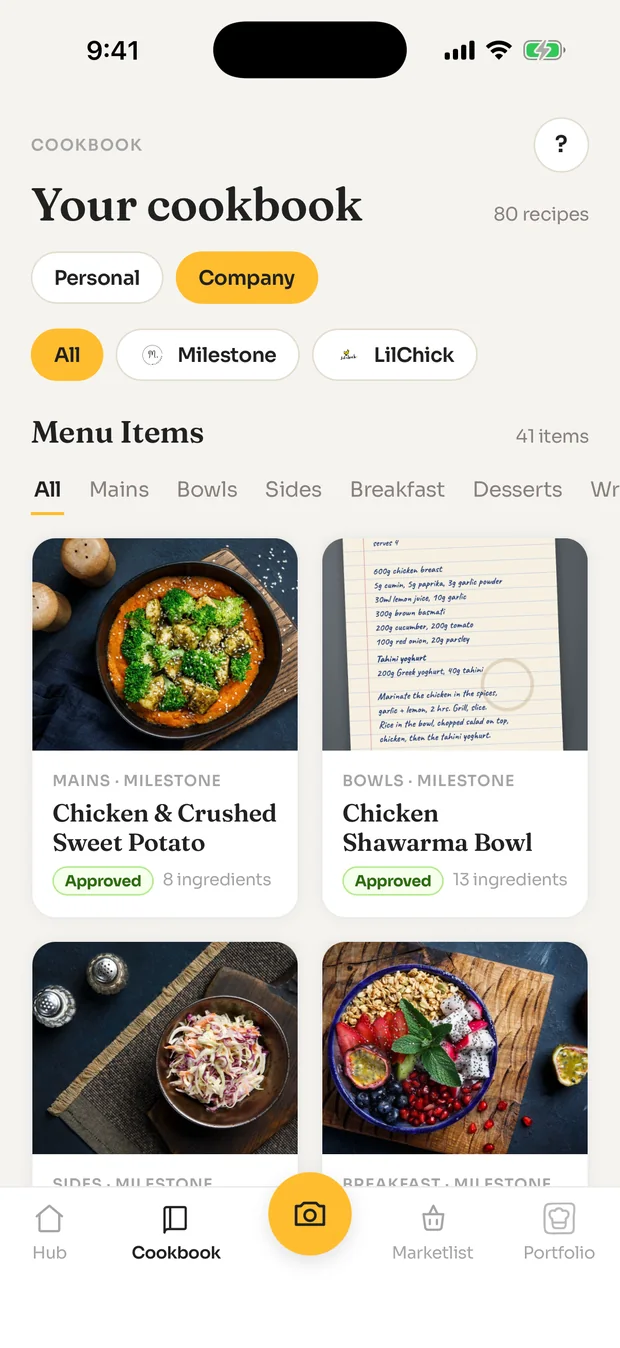

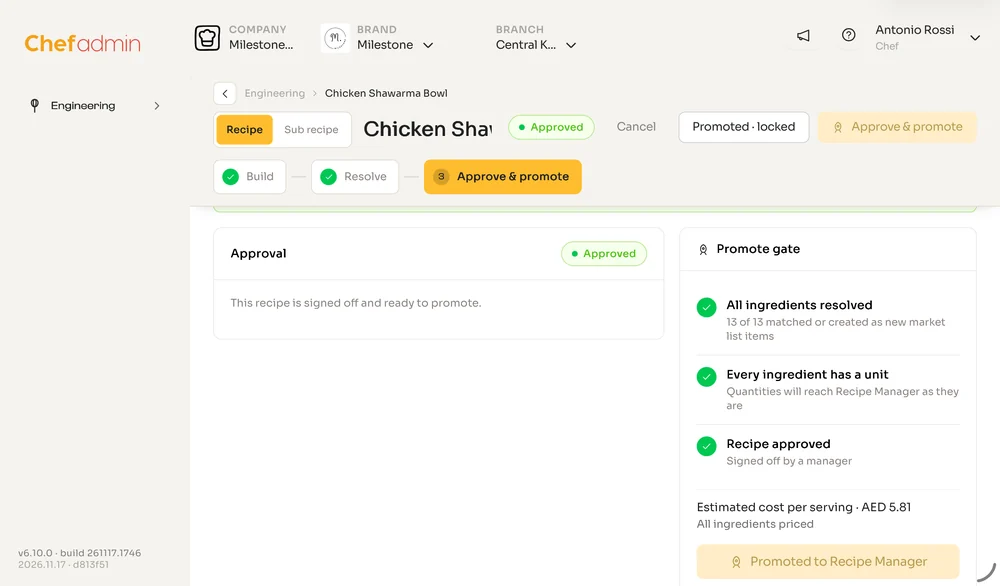

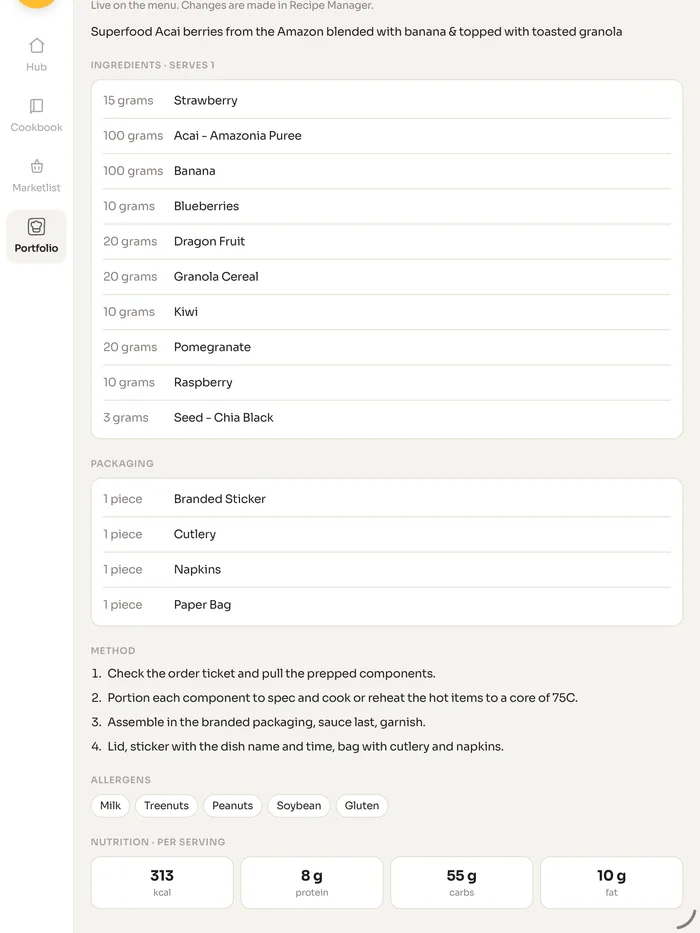
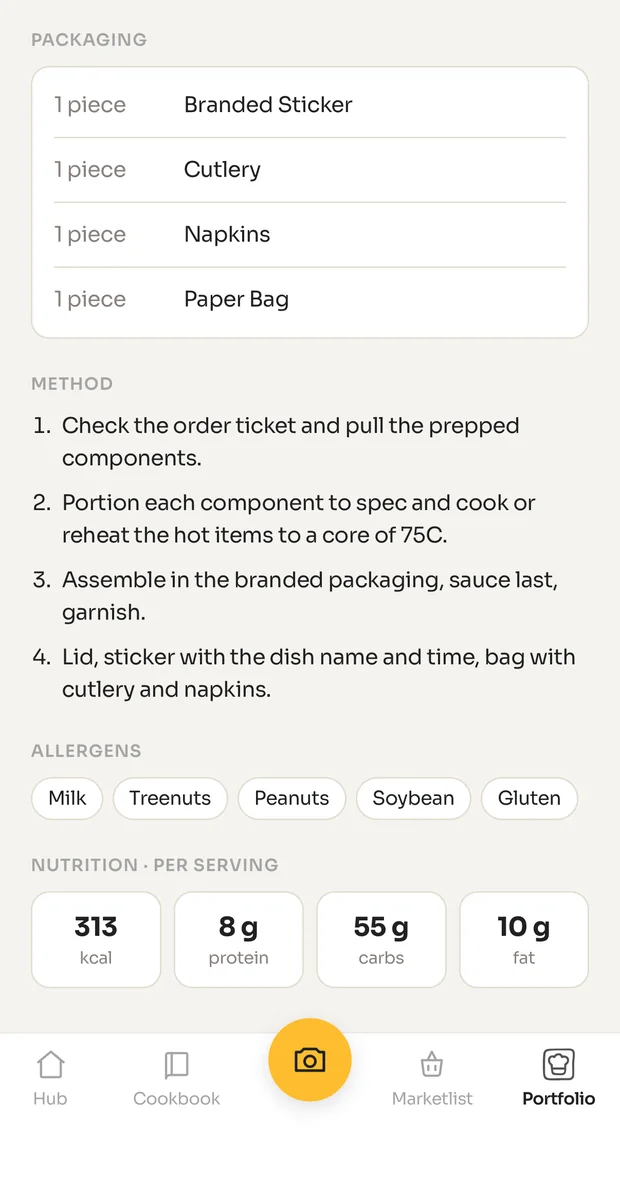
Say it, snap it or type it in the app. ChefAdmin writes up the ingredients, packaging, method, allergens and nutrition, with the dish photo. Once a recipe is approved and promoted, it is live on the menu and changes are made in one place.
Every ingredient across your brands and branches in one list, with its category, unit cost and quantity on hand. The kitchen works from the app: requisition, stocktake, receive delivery, wastage and production.
Every dish placed on the matrix by how well it sells and what it earns: Stars, Plowhorses, Puzzles and Dogs. Pick the period, the brand and the branch, and compare with the period before.
Recipe Profitability shows total margin, revenue and average margin for the period, then every recipe with its quantity sold, revenue, cost, margin and trend.
Allergens sit on the ingredient and show on every recipe that uses it, beside the nutrition per serving. On the desktop, filter the whole menu by what a dish is free from.
One door is human: ask in plain English. The other is machine: the same intelligence, addressable as JSON, OpenAPI and MCP. Your team and your software get the same answers.
The intelligence layer watches your operation around the clock. Ask what you'd ask a brilliant ops manager, and get the answer, the cause and the suggested action.
The same answers, addressable by software. Your accounting tool, your BI stack, your agents: they all get the data they need in the formats they want. The MCP door is live: connect your own AI assistant, read-only, under your account.
/agents.json
/llms.txt
MCP
Webhooks
The intelligence layer is how, not what. The pitch is profit visibility; it's one of the things that delivers it.
One product, one price list, the same everywhere. Build for free, pay from $9 when you want no limits, and pay $60 a month when a kitchen goes live. Upgrade yourself on the web when you are ready. Nobody has to call you.
For a chef with a recipe to capture.
For a chef or a group with a lot to capture.
For a kitchen that is trading.
Billed monthly on the web. Pay annually and get about two months free. Cancel from your account, any time. Your data stays yours: full export, in standard formats, whenever you want it.
Everything inside ChefAdmin updates the moment it happens: counts, transfers, recipe changes, order proposals. Sales arrive as fast as your POS allows them to; every till sets its own limit, and that limit is theirs, not ours.
There is no implementation fee for self-serve. Capture your recipes in the free app, promote them when they are ready, connect your POS from the settings page. If you run a large group and want us to do the set-up with you, write to info@godark.ai and we will scope it honestly.
Not a customer result. Platform cost is calculated at the Kitchen Pro price above: $60 for the first location and two brands, $20 per extra location, $10 per extra live brand. Food saving starts at 10%, the average across our live kitchens; move the sliders to your own numbers. Your numbers will differ; the price list will not.
Multi-currency. Multi-language. Native Arabic with full RTL. Connects to the POS, ERP and accounting systems the operator already runs, wherever they run them.
Customers running ChefAdmin across multiple geographies, currencies and languages, with one source of truth on every screen.
Native English and Arabic with full RTL. Multi-currency by default. Connects to Foodics, Zoho and Odoo plus POS, ERP and accounting more broadly.
Audit. Recipe rebuild. Supplier reset. Margin back on the P&L. The shape of every onboarding. A worked example, not a customer result; your numbers will differ.
From 32.1% in month one to 27.5% in month three, holding through into Q2.
From an unmeasured baseline (month-end blind) to nightly reconciliation across every branch.
Ops team off spreadsheets, on operations. Procurement off email, on supplier strategy.
The leak you don't see on a single screen: visible from week two, closed by month three.
The questions chefs and operators ask first. If yours is not here, write to info@godark.ai.
ChefAdmin is a connective kitchen-operations platform for multi-brand restaurant groups. It connects the POS, ERP, accounting and supplier systems you already run, unifies the data, and shows where profit is leaking across every brand and branch.
No. ChefAdmin sits on top of the systems you already run (Foodics, Zoho, Odoo and other POS, ERP and accounting tools) and connects to them. There is no rip-and-replace and no twelve-week migration.
Free to build about ten recipes. $9 a month to build without limit. $60 a month to run a live kitchen, with one location and two brands included, then $20 per extra location and $10 per extra live brand. Billed on the web. No implementation fee for self-serve.
A chef can have a recipe captured in the free app within minutes of installing it. A kitchen with its recipes promoted and its POS connected can be costing in days, not months.
Yes. Full export, any time, in standard formats. Your own AI assistant can also read your kitchen directly through an open standard, so you are never limited to our screens to see your own numbers.
No. Download the free app from the App Store or Google Play, capture a recipe, and upgrade from your account when you want to. If you would like a walk-through, we are happy to give one; it is not a gate.
Yes. ChefAdmin is free on the App Store and Google Play, for iPhone and Android. It also runs in the browser at kms.chefadmin.com/m if you prefer.
It structures a recipe from a photo or a spoken description, matches invoice lines to your items, reads your cost reports and tells you in plain English what changed and why, and raises replenishment orders for you to approve. It does the back-office work a small operator could never afford to hire for. It does not run your kitchen; you do. The same engine is addressable by software via JSON, OpenAPI and MCP.
The free app is on the App Store and Google Play. Ten recipes to keep, then $9 a month to build without limits and $60 a month to run the kitchen. The price is above; nobody has to call you.


Running a group and want us to do the set-up with you? Write to info@godark.ai. It is a courtesy, not the path.


